If you have ever sat down on a plane, plugged in your laptop charger and watched nothing happen, the reason is almost never a broken laptop. In-seat power is a limited, shared resource. Airplane outlets typically deliver around 60 to 75 watts per seat, they are often switched off until after takeoff, and on some aircraft they only appear in certain rows or cabins. So the reason your laptop will not charge on an airplane usually comes down to the seat, the adapter or the aircraft rather than the machine itself.
This guide walks through what each kind of in-seat power actually delivers, which laptop categories outrun it, and the short diagnostic sequence that tells you in about two minutes whether you have a seat problem or a laptop problem.
Table of Contents
- What Stops Your Laptop From Charging in the Air?
- Why Your Laptop Will Not Charge on an Airplane at Your Seat
- Why Your Laptop Will Not Charge on an Airplane by Aircraft Type
- Why Your Laptop Will Not Charge on an Airplane With a Mismatched Adapter
- Check the Outlet and Your Laptop Before Blaming the Flight
- What to Do When Your Battery Will Not Charge on the Plane
- How to Prevent Laptop Charging Problems Before Your Flight
- Frequently Asked Questions
- Can I charge my laptop on every airplane seat?
- Does airplane mode stop a laptop from charging?
- Why is there power beside a seat but my laptop will not charge?
- Is it safe to charge a laptop with airplane power?
- Will a battery bank keep my laptop working for the whole flight?
- What should I do if my laptop battery will not charge on a plane?
- What to Do First Next Time You Fly
What Stops Your Laptop From Charging in the Air?
A working outlet does not guarantee laptop charging. Aircraft seat power comes in three flavours, and each one has a hard ceiling.
The most common is a mains AC outlet, usually a single socket shared by two seats. It runs at about 110V, and the power module behind it is typically capped around 60 to 75W for the pair. That is plenty for a phone and thin enough for many ultrabooks, but it is nowhere near a workstation charger.
The second is the older EmPower DC system, still found on some 777 and older A330 equipment. It delivers roughly 15V DC and needs a dedicated EmPower cable with a special connector, because a normal AC adapter plug will not fit it. If your charger physically cannot slide into the socket, this is the reason.
The third is USB-A, usually a 5V port at phone current. Those can top off a laptop battery over hours, but they are far too slow to run a machine while you work on it. Users on the Framework community forum report the same pattern: the connection works, it just delivers less than the laptop wants.
Two more conditions catch people out. Seat power is frequently inactive while the aircraft is on the ground, then switched on after takeoff, and some airlines only activate certain circuits once the cabin load allows it. And on aircraft with limited supply, the module can drop individual seats to protect the total budget, which is why charging sometimes works for twenty minutes and then stops.
Why Your Laptop Will Not Charge on an Airplane at Your Seat
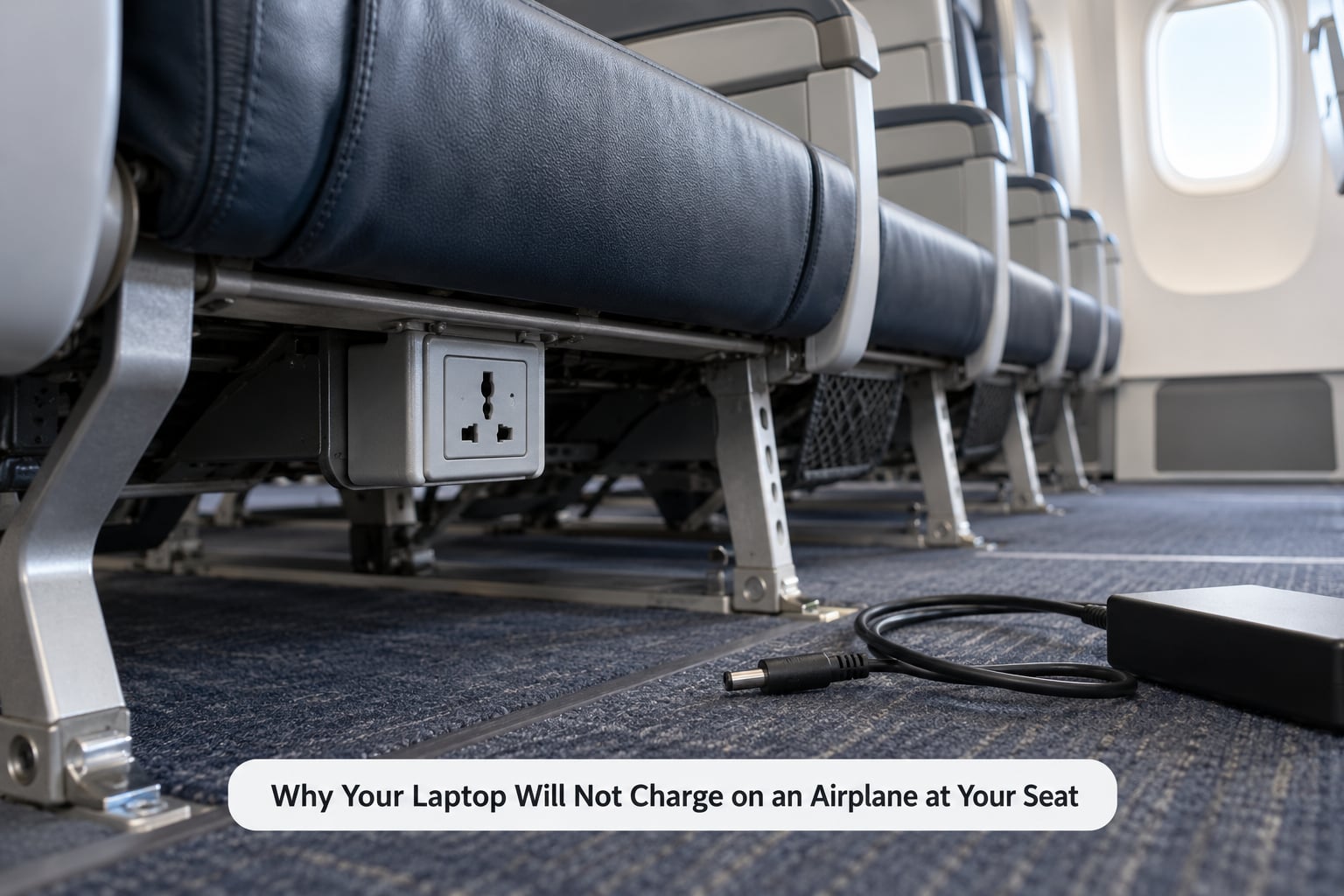
Once you know what a socket can deliver, the failure narrows quickly. Here are the seat-specific causes, ordered by how often they turn out to be the answer.
- No outlet at your row. Plenty of aircraft have sockets in only some rows, or only in window rows, or only above the seatback in certain sections.
- An outlet that exists but is unpowered. The socket is there, the indicator light is dead, and nothing you plug in will draw current.
- Power not yet switched on. On many aircraft the outlets stay off during taxi and takeoff and come alive once you are at cruising altitude.
- Your row was de-selected. On busy flights the crew can switch off a circuit when the ground power supply or onboard generator cannot carry the load.
- Not enough power for your charger. Your brick needs more than the outlet provides, so it either never negotiates or is cut off after a few seconds.
- The wrong socket type. An EmPower DC outlet will not accept a standard AC adapter plug, whatever the label says.
Why Your Laptop Will Not Charge on an Airplane by Aircraft Type
Availability is not a promise made by the airline across its whole network. It depends on the airline, the aircraft model, the cabin and the seat position inside that cabin, so two passengers on the same flight can have completely different results.
Regional jets and many short-haul narrow-boys are the least likely to give you anything. Business and first class cabins on long-haul aircraft are the most likely, and passengers often report more usable power there than in economy on the same plane. Older wide-bodies tend to carry the legacy EmPower DC system rather than AC sockets, which is a different cable rather than a different socket.
Even a well-equipped aircraft does not distribute power evenly. Business class seats are sometimes individually powered while an economy block shares one module across several rows, so a single exhausted module can take out a whole bank of seats. On an Emirates A380 thread on r/GamingLaptops, flyers described charging as a hit-or-miss experience that worked for long stretches and then cut out, which matches a shared module under load rather than a faulty laptop.
Why Your Laptop Will Not Charge on an Airplane With a Mismatched Adapter
This is the second half of the problem, and it is the half most people blame on the plane. Four things can mismatch at once.
Plug shape. Aircraft sockets are usually a compact three-pin pattern rather than a US household outlet. A US two-prong plug may not have earth contact, and a loose or undersized plug can arc and drop out, which explains the wobbly-outlet complaints that show up repeatedly in flight forums. A UK type G plug tends to sit far more securely in these sockets, which is the reason the travel-adapter fix circulates in travel communities.
Voltage. Most laptop bricks are labelled 100-240V input, which means they accept aircraft mains without a converter. If your adapter says something else, or your device needs a step-down transformer, it will refuse to draw from the seat. A travel adapter only changes plug shape. A voltage converter changes the voltage, and you want the first, not the second.
Wattage. This is where most failures live. The outlet will not deliver more than its cap, and a charger that cannot negotiate a supported level simply does not start.
USB-C Power Delivery. Many in-seat USB ports, especially the older USB-A ones, do not negotiate Power Delivery at all. They sit at a fixed 5V. Your laptop may then charge at a trickle, or refuse outright, because it wants 20V. Framework laptop owners report that PD works in flight only once the source offers 45W or more.
The table below shows roughly what each category needs against what a seat usually offers.
| Laptop category | Typical charger output | Usual outcome on a 60-75W seat outlet |
|---|---|---|
| Thin ultrabook | 30-45W USB-C | Charges normally, sometimes slowly |
| MacBook Air class | 30-45W USB-C | Charges normally; the 70W brick needs a USB-C PD seat port |
| MacBook Pro class | 60-100W USB-C | Charges on AC outlets, stalls on basic USB ports |
| Gaming laptop | 90-230W | Usually will not charge; it may drop in and out |
| Mobile workstation | 135-230W | No chance on a standard seat outlet |
| Basic USB-A seat port | 5V, low current | Only useful when the laptop is off or asleep |
Check the Outlet and Your Laptop Before Blaming the Flight
Run this sequence in order. It takes about two minutes and tells you which half of the problem you are dealing with.
- Look for an indicator. Many seat modules have a small light or a lit switch panel. A dark panel usually means the circuit is off, not that your laptop is broken.
- Test the outlet with a phone. A phone charger is a 5W to 20W load. If the phone charges and the laptop does not, the outlet is alive and the limit is the problem.
- Watch your charger’s own light. Most bricks have an LED that lights when they see valid power. No light means the adapter is not being fed.
- Push the plug in fully and hold pressure. A loose contact can read as a dead outlet. Wiggle test is fine; sparks are not normal and mean you should stop and move seats.
- Confirm the connector type. A round or proprietary DC connector means you are in an EmPower seat and need the matching cable, not your usual wall brick.
- Restart the laptop. On USB-C machines the port controller sometimes fails to renegotiate after sleep. A full shutdown and boot forces a fresh handshake.
- Check whether the battery sees external power. On Windows, open Battery report or the battery icon’s power settings and read the connected status. On macOS, click the battery menu and look for the charging symbol. No external power detected with a known-good cable means the adapter or port, not the seat.
- Try another row. If a second seat with power works, the fault is the first outlet. If nothing works anywhere on board, suspect the adapter.
One warning sign deserves its own mention. If your laptop charger, cable or plug becomes hot, smells odd or buzzes, unplug it and stop using that seat. Low-quality travel adapters can overheat or short, and that is a hardware risk rather than a charging inconvenience.
What to Do When Your Battery Will Not Charge on the Plane
Once you are airborne with no charge, the options narrow fast, so take the cheapest one first.
- Move to a powered seat. Ask the flight attendant before you shift, since some rows are assigned by cabin or crew. A walk to the back or front of the cabin often finds a live circuit.
- Ask a flight attendant. Crew can tell you which rows are powered right now and whether the module is scheduled to come on.
- Reduce the load. Shut the external display, drop brightness, close video calls and pause large syncs. A slower machine draws less, and some adapters will hold a charge if the demand drops below the cap.
- Drop to sleep instead of shutting down. Many laptops will top up a sleeping battery from a 5V seat port even when they will not charge while running.
- Switch to a battery bank charged before boarding. This is the fallback most flyers rely on, and it works for a whole flight if you sized it right.
- Work offline until a better seat opens. Keep documents downloaded, close anything that syncs in the background, and treat the flight as a two-hour block of local editing.
Chasing a fix in the air is expensive in time. The same problems are far easier to avoid on the ground.
How to Prevent Laptop Charging Problems Before Your Flight
Check the aircraft before you book. Airline websites list seat power by cabin and sometimes by aircraft, and the aircraft itself can change on a codeshare. If a working outlet matters for your trip, verify it for the specific cabin.
Choose a seat near a known outlet. Seat maps often mark powered rows. Window rows and bulkhead rows are the usual picks on older narrow-boys.
Bring the right cable, not just the right brick. Check whether your seat needs AC or the EmPower DC cable. Packing a two-prong-to-three-pin travel adapter solves loose fits cheaply, while a voltage converter is rarely what you need.
Size a battery bank to the flight. Look at watt-hours, not wattage. The US Department of Transportation allows spare lithium batteries in carry-on baggage only, with terminals protected from damage. Power banks at or below 100Wh are generally permitted without special approval, and those between 101Wh and 160Wh need airline approval, with a hard ceiling above that. If your pack is rated over 160Wh, it cannot fly in your bag at all.
Expect a 5V ceiling from older USB ports. If your machine needs 45W or more over USB-C, plan on an AC seat rather than a USB port.
Where to put your laptop charger when flying? Keep it in your carry-on. Checked baggage can be delayed or delivered without it, and a missing charger ends your working trip even when the laptop survives.
Do I need to remove my laptop charger at airport security? A normal wall charger and its cable can go through the scanner in your bag. A large battery brick is the item that gets pulled aside for a separate check.
Can I put my laptop charger in my checked luggage? You can, but it is a bad bet for exactly the reason above. If you pack a spare in checked baggage, keep it away from coins and keys and protect the contacts.
Travel light on power. Lower screen brightness, save files to local storage, download every document you need before boarding and stop background syncing. A laptop drawing 15W instead of 45W is far easier to keep alive.
Frequently Asked Questions
Can I charge my laptop on every airplane seat?
No. Seat power depends on the airline, aircraft model, cabin and row. Some seats have no socket, some sockets are inactive until after takeoff, and some rows share one module that can be switched off under load. Business and first class on long-haul aircraft usually have the best coverage, while regional jets and short-haul narrow-boys often have none at all. Check the seat map for your specific flight before you choose a seat.
Does airplane mode stop a laptop from charging?
No. Airplane mode disables wireless radios, not the charging circuit. A laptop plugged into a working in-seat outlet will charge normally in airplane mode. The confusion comes from the fact that most laptops suspend or sleep when you put them into flight mode on some systems, and a sleeping machine draws less, so charging looks slower. Electrical power and radio transmission are separate systems.
Why is there power beside a seat but my laptop will not charge?
The socket may be powered but limited. In-seat outlets usually cap out around 60 to 75W shared between two seats, and older USB ports sit at 5V with no Power Delivery negotiation. A charger that needs 45W or more over USB-C will stall, and a gaming laptop needing 90W or more will usually not start at all. A loose plug that reads as connected without making contact looks identical from the seat.
Is it safe to charge a laptop with airplane power?
Yes, as long as you use a proper adapter and the outlet is in good condition. Aircraft mains is a normal supply and laptop chargers with 100-240V input are designed for a wide range. The risk comes from cheap travel adapters and damaged outlets rather than from the aircraft supply itself. Stop immediately if a plug, cable or adapter becomes hot, discoloured, buzzes or smells burnt, and move to a different seat.
Will a battery bank keep my laptop working for the whole flight?
Often, if you size it correctly. Add up what you need in watt-hours: a 60W machine working for three hours needs about 180Wh plus overhead for conversion losses. Spare lithium batteries must travel in carry-on baggage with terminals protected, power banks at or below 100Wh are generally allowed without approval, and 101Wh to 160Wh packs need airline approval. Above 160Wh they cannot fly with you.
What should I do if my laptop battery will not charge on a plane?
Test the outlet with a phone first. If the phone charges and the laptop does not, the limit is the reason, so move to a powered seat or ask a flight attendant which rows are live. If nothing charges anywhere, test your adapter on another device and check for an EmPower DC connector if the aircraft uses the older system. Restart the laptop to force a fresh power handshake, and stop using any outlet that makes a charger run hot.
What to Do First Next Time You Fly
Test the seat outlet with your phone before you unpack. If the phone charges and the laptop does not, it is a wattage limit and you need a different seat or a battery bank. If nothing charges in any row, the problem is your adapter, and checking the connector type and the wattage label on the brick will usually explain it in seconds.